Before any image goes on a website we build, we check where it came from. We read the file’s camera data, look for the AI markers that tools such as Photoshop write into the file, and treat any photo with no camera record as unverified until the client confirms how it was made. AI-generated images are not banned on business websites, but an image that gives customers a false impression of your product, venue or property can breach the Australian Consumer Law, and Google asks for AI images to be labelled in their metadata. xCreative™ is a Melbourne creative agency in Chadstone that has shot product, property and aerial imagery since 2016, so this check sits at the start of every photography and website project.
Why AI-generated images became a business question this year
Property is where Australian regulators moved first. On 14 October 2026 the ABC reported that Queensland’s Office of Fair Trading had received six complaints about digitally altered real estate images since January 2025, and quoted an ACCC spokesperson saying AI images should not create an “overall false impression”. A few weeks earlier the NSW Government announced that landlords and agents will have to disclose rental photos that have been digitally altered or AI-generated to hide faults, with the laws expected to start in early 2027.
The same logic reaches well past rentals. A restaurant photo of a dish the kitchen does not serve, a render passed off as a finished building, or a product shot with a colour the real item never comes in can all leave a customer misled. Artist impressions in property sales campaigns are normally labelled as renders, and that habit now matters for every kind of image.
What we found in one batch of client photos
In October a client sent us a folder of brand images for a new website. Most looked like polished studio shots, and to the eye they were hard to separate. The file data told a clearer story. 140 images carried full camera records from a Sony A7R V. Fifteen had no camera information at all and measured exactly 1536 by 1024 pixels, one of the standard output sizes of ChatGPT’s image tool. Two phone photos carried a marker showing part of the frame had been filled in by Photoshop’s generative fill.
One result surprised us. A photo we suspected was a composite turned out to have genuine camera data behind it, while several of the fifteen we would have passed on looks alone. Since then our rule is simple: metadata decides, eyesight only raises questions. Where the two disagree, we tell the client exactly what we found and let them decide whether the image stays, gets labelled or gets reshot.
The checks we run on every image before launch
None of these steps needs special software, and a business owner can ask any agency whether it does them.
- Get the original file. Screenshots and images saved from social media lose most of their metadata, so we ask for the export from the camera, the photographer or the image library.
- Read the camera record. A real photo usually names the camera make and model along with the exposure settings. Missing data does not prove an image is fake, but it moves the file into the unverified pile.
- Look for AI markers. Google’s image metadata documentation lists the IPTC digital source type values trainedAlgorithmicMedia for fully generated images and compositeWithTrainedAlgorithmicMedia for photos with AI-generated parts. We search each file for those values and for Content Credentials, which can be checked at the free Content Credentials verify tool.
- Check the dimensions. Odd sizes that match an AI generator’s output, and that no camera in the client’s kit produces, are worth a question.
- Keep the markers in place. When a client chooses to use an AI image, we keep its metadata through compression and resizing instead of stripping it.
The checks take minutes per batch. Reshooting after launch, or answering a customer who says the room looked bigger online, takes far longer.
When AI imagery is fine to use
We still use generated or edited imagery where nobody is being asked to believe it is a photograph of something real. Abstract backgrounds and illustrated concepts for an article qualify, and so do mood boards for early campaign ideas. Basic editing such as cropping or colour correction is normal photography practice, and the NSW announcement is aimed at images altered or generated to hide faults.
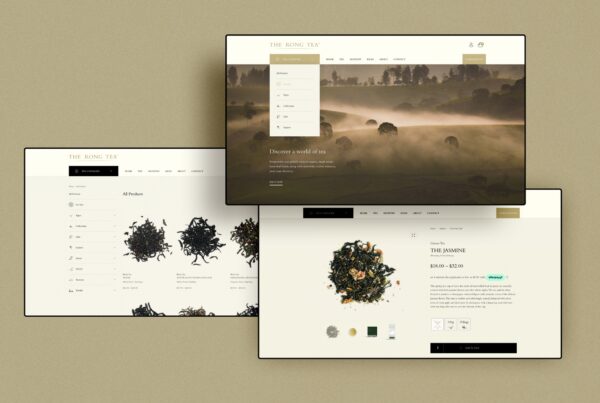
The line we hold is about what a customer will rely on. Anything a customer will judge you on should be a real photograph: the product, the plate of food, the room, the view from the balcony. When we shot The Rong Tea’s range, the teas, packaging and the brewed pour came from one real session, and for Little Penguin ELC we photographed the centre’s own opening events with its families rather than models. For property, our real estate photography shows the space as it is, and renders stay labelled as renders.
Real photos also feed Google and AI search
Google’s guidance on generative AI content says AI-generated images must carry IPTC digital source type metadata, and Google Search can show whether an image was made with AI or captured with a camera when that data exists. An undisclosed AI image on your site is therefore a labelling problem as well as a trust problem.
AI assistants add another reason. When a page gives them no clear, relevant image, some will illustrate an answer about your business with a picture they found elsewhere or generated themselves. We have seen that happen with car images that never appeared on a client’s website. In October we reviewed the share images on 603 pages across four websites we manage and set each one to a real project photo that matches the page. It is part of how we approach AI search optimisation: give the engines accurate material so they do not invent their own. The same thinking applies to video, which we covered in our homepage video checklist.
If you are planning a new website or a shoot and want the image library checked first, tell us about the project.
Frequently asked questions
Can I use AI-generated images on my business website?
Yes, as long as they do not mislead customers about what you sell or where you operate. Keep your products and premises as real photographs, label generated or heavily altered images, and leave the AI metadata in the file so Google can read it.
How can I tell if a photo I was given is AI-generated?
Start with the original file, not a screenshot. Check its camera make and model, look for Content Credentials or the IPTC value trainedAlgorithmicMedia, and question unusual sizes. No single test is proof, so treat a file with no camera record as unverified until its source is confirmed.
Does Google penalise websites that use AI images?
Google’s published guidance does not say AI images are penalised. It asks site owners to include IPTC metadata on AI-generated images and to give readers context about how content was made. The bigger risk sits with customers and consumer law if an image gives a false impression.